
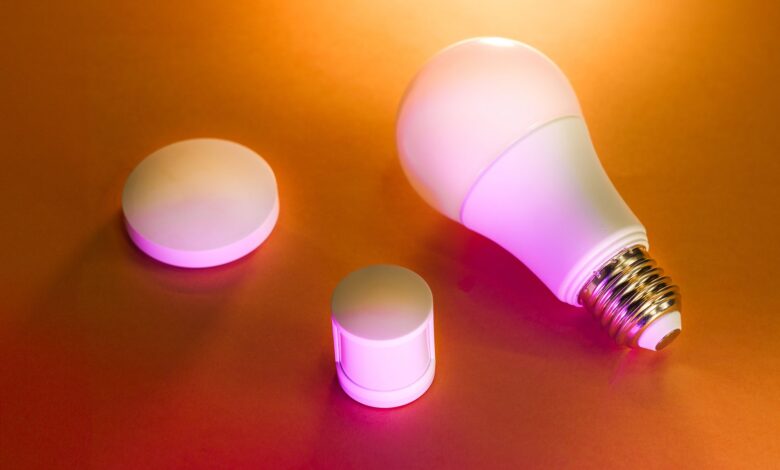
Cheap bulbs flicker because of hardware inside, not because of your dimmer switch. They look vivid on day one, then tired and shaky months later at low brightness. Skip them by checking fast dimming, color above ninety, and flicker numbers, since IEEE 1789 sets low-risk at 8% for 100Hz and ENERGY STAR Lamps V2.1 asks for flicker percent.
Lab standards, not anecdotes, prove why the glow fades. IES LM-80 tracks lumen fall to seventy percent and IEEE maps flicker risk, while a tiny heatsink can cook phosphor and shift white to yellow within five hundred hours. It turns a phone slow-mo test and cheap lux log into a clear buy or skip call.
How cheap drivers create visible flicker you can catch on camera
This section starts with the part the label hides. A cheap smart bulb often dims by switching its LEDs fully on and fully off very fast. That switching is called PWM, or pulse-width modulation. Duty cycle is the percent of time the LED stays on, and flicker percent is how deep the light dips between on and off.
At low duty, like 10% brightness, the off time is long. If the switching rate is only 100 to 120Hz, the same rate as mains flicker, your eye and your phone camera can catch it. Most LED bulbs flicker at 100-120Hz and PWM is intentional manipulation between on and off states. Human eyes can detect that flicker below roughly 200 to 400Hz, especially in peripheral vision.
Human eyes can detect flicker below 200–400Hz especially in peripheral vision and Raspberry Pi default hardware PWM only 1-10kHz too low for smooth dimming. Pulse-width modulation causes the light source to be off for a split second, and that off period is the technical source of the flicker. Analog or DC dimming lowers current instead of chopping it, so it flickers less, but it costs more to build.
Phone cameras show dark bands rolling across the frame at low brightness because the sensor scans line by line while the LED is off. That banding does not mean Wi-Fi is broken, it means low-frequency PWM.
In the Wyze Forum thread on Power & Lighting, a user reported Wyze Bulb Color flickers and has gone on for months. As the poster put it, it changes color on its own. In that forum, the solution that came up repeatedly was to move the bulb off a traditional dimmer switch to a full-voltage socket, factory reset, and re-add in the Wyze app on a 2.4GHz-only SSID, because a dimmer plus low-frequency PWM creates unstable voltage that the driver reads as a color change, which works because Waveform Lighting’s diagnosing LED flicker guide shows dimmer incompatibility raises percent flicker.
Interactive block diagram: adjust PWM frequency and duty cycle to see estimated on/off block width, cycle period, and flicker risk change together
Why low-frequency PWM below 1kHz still fools your eyes and your phone
The on/off basics from the previous section set the stage. The next piece is the threshold that decides if you actually notice it.
Typical PWM frequencies are in the range of 150 to 500 Hz and flicker and strobing associated with PWM dimming particularly below 100Hz. Human flicker fusion sits just above 100Hz for central vision, but peripheral vision stays sensitive higher.
IEEE Recommended Practice 1789 sets threshold for no human impact of 5% flicker at 120Hz, with low-risk often cited around 8% at 100Hz to 120Hz. Safe for nearly all readers sits above roughly 20kHz, where even a fast phone shutter sees continuous light. Percent flicker is the dip from max to min, flicker index is the area above average light.
Philips Hue effectively flicker-free due to relatively high PWM dimming frequency around 1 kHz however flicker can sometimes be detected by cameras. That matches why Hue looks steady to most people but can still show faint bands at 10% in slow-mo. In order to better predict whether consumers will perceive flicker when operating ENERGY STAR certified dimmable lamps EPA has proposed ASSIST metric for assessing direct perception of light source flicker be reported.
Try this before you buy: record the bulb at 10% brightness in 240fps slow-mo on your phone and look for dark bands rolling. If bands are strong at 50% and 100% too, that driver likely stays below 1kHz even at full brightness.
Three stages of PWM frequency from 100Hz high flicker risk to 1kHz low risk to 20kHz safe with IEEE 1789 percent markers
Why colors wash out: heatsink, phosphor, and lumen depreciation over 500 hours
Frequency explains flicker. Heat explains washout. A heatsink is the aluminum fins or heavy base that pulls heat away from the LED. Junction temperature is how hot the LED chip itself gets inside.
White LEDs make white by coating a blue chip with phosphor, often in a phosphor/silicone composite that glows yellow. Phosphor/silicone composites will deteriorate in high temperature leading to serious lumen degradation and color shift of white LED package. Heat generated by phosphor layer accounts for major differences in degradation between blue LEDs and white LEDs.
Every small rise in junction temperature speeds that aging. A 0h-versus-500h comparison at 100% white 4000K — logging lux, sRGB%, DCI-P3%, CRI, base temp, and heatsink mass — is what separates a bulb with real thermal mass from one that just looks bright in the box.
IES LM-80 is DOE approved testing method for measuring lumen depreciation of solid-state light sources and IES LM-80 committee testing at least 6000 hours. L70 means the point where light falls to 70% of initial, B50 means 50% of units are expected below that. LM80 defines test duration 6000 hours and TM21 extrapolates to L70 endpoint typically 70% initial output.
A bulb base at 44.5°C no discoloration or flicker observed after 100-hour stress testing is a good sign. A thin aluminum base that runs hot and yellows early signals thin phosphor and little thermal mass, which typically leads to faster DCI-P3 loss and a yellow shift. CRI is color rendering index, how true colors look under the bulb, DCI-P3 is how wide the color gamut can go.
Interactive calculator: adjust heatsink mass, hours aged, and ambient temperature to see estimated junction temperature, lumen maintenance, and color coverage change together
How to test flicker and color drift yourself without a lab
Thermal aging explains washout, now you need a way to catch it at home without a lab. Peak lumens is what the box claims on day one. Maintained lumens is what stays after hundreds of hours.
For flicker, use 240fps slow-mo. Set bulb to 10%, 50%, and 100% white 4000K, same white wall, same distance, phone auto-brightness off. Film 5 seconds each.
If dark bands roll at 10% and fade at 100%, that driver uses low-frequency PWM only at dim. Measures flickering lights like PWM driven LED systems using Arduino Nano and LED streetlamp sends permanent PWM 264Hz frequency shows how even streetlamps send PWM in that range.
For color drift, log lux at 0h and 500h with a cheap meter at one meter distance. Add sRGB% and DCI-P3% via a colorimeter if you have one. After 500h, approximately 15% loss is a warning sign, approximately 25% is a fail for living room use. Opening sealed bulb housing to see phosphor voids UL Listed and risks shock, so do not open it, use external meter and weight check instead.
In your phone camera app, look for: switch to slow-motion 240fps, film bulb at 10% brightness on white wall, check for rolling dark bands. If bands are faint but color looks yellow, check base temp with a kitchen thermometer near the base, not touching, after 30 minutes on.
In the Wyze Forum practitioner thread, a user said bulb switches out of current color state to low white/yellow after weeks. In that community, the solution that came up repeatedly was factory reset with 3x on/off, move off dimmer circuit, lock 2.4GHz SSID separate from 5GHz, and disable band steering, because low-frequency PWM plus unstable Wi-Fi power save can cause color state reset, which works because flicker diagnosis shows unstable voltage raises perceived flicker and reset risk.
Philips Hue vs Wyze vs Tapo L530E vs Govee: what CRI and DCI-P3 actually tell you
Testing method shows how to catch drift. Now brand comparison shows who drifts less as of spring 2026.
sRGB is the smaller color range most apps use. DCI-P3 is a wider cinema range, about 25% larger. Wide P3 coverage without good accuracy still looks washed, because coverage is size and accuracy is how true each shade lands.
| Bulb as of spring 2026 | Lumens and CRI | Radio and flicker note |
|---|---|---|
| Philips Hue White and Color A19 1100 lumens $50-55 | Manufacturer lists CRI 80+, some tests 82, Hue CRI 82 lower less accurate vs Wyze 90 plus | Zigbee + Bluetooth, hub needed for full features, PWM around 1kHz effectively flicker-free per trade test, pro stable, con price and hub |
| Wyze Bulb Color 1100 lumens $14-18 2.4GHz only | 90+ Color Rendering Index means higher-quality light that makes colors look more accurate and vivid, features 90+ CRI which is pretty high for comparison Philips Hue around 80+ CRI | Wi-Fi 2.4GHz only, pro cheap and bright, con flicker complaints on dimmer circuits, genuine reason not to buy if you need rock-solid color memory |
| Tapo L530E 806 lumens 60W equiv 2.4GHz only | Tapo L530E has 220° beam angle for wider coverage a color rendering index CRI greater than 90 for truly vibrant colors and luminous 800LM brightness | 2.4GHz only, standby approximately 0.2W per spec, pro low standby and Matter in L530E, con lower lumens than Hue/Wyze, reason not to buy if you need 1100 lumens |
| Govee RGBWW 800LM 60W equiv $10-20 2.4GHz only | CRI 90 per Govee LuminBlend+, 54 scenes music sync, effects run smooth with no flicker per retail listing | 2.4GHz only, pro cheapest with scenes, con mixed build reports and app data collection concerns, genuine reason not to buy if you want local-only control |
All four use 2.4GHz 802.11 b/g/n only, no 5GHz, so crowded routers matter. For related guidance on why bulbs drop and forget settings, see our guide on why your budget smart home keeps disconnecting from Wi-Fi, which explains separate SSID and DTIM fixes that also reduce flicker-like resets.
When 2.4GHz Wi-Fi makes bulbs flicker, disconnect, and forget settings
Color accuracy shows what a bulb can render. Connectivity shows why it forgets. FCC IDENTIFIER 2ACNS-GTB8R-4 Equipment Class Part 15 Low Power Communication Device Transmitter Notes Bluetooth Smart Bulb means the radio passed US equipment authorization for emissions, it does not guarantee flicker-free or long life.
All budget bulbs here are 2.4GHz-only. The 2.4GHz band is crowded with microwaves, Bluetooth, and neighbors. Routers with band steering push devices to 5GHz, but bulbs cannot follow, so they drop. Short DTIM interval plus aggressive power save can make the router age out the bulb, causing reconnect loops that look like flicker and reset color to low white/yellow.
Wyze Bulb Color will not work with 5GHz Wi-Fi network and must be connected to 2.4GHz Wi-Fi network. Create a separate 2.4GHz network just for smart home devices connect your bulbs and plugs to that and leave name and password alone is the fix that works because it stops steering.
Before committing, run this quick check and move bulb to different socket closer to router and disable 5GHz during setup. Then set separate 2.4GHz SSID, disable smart connect, set DTIM to 3, give bulb a static DHCP lease, and keep signal above -67dBm. Dimmer switch plus Wi-Fi power save is worst combo, because dimmer lowers voltage and Wi-Fi save adds brownout, triggering color reset.
Flicker-free buying checklist plus color drift worksheet
Connectivity triage completes the root cause list. Now the checklist turns it into action you can use in the store and at home. This checklist and worksheet is a self-authored practical evaluation tool built from the mechanisms above for buying-decision use, not a published industry standard.
Step 1: Flicker-free buying checklist – five label checks
Check box before paying. FCC ID plus UL Listed mark present on base, box states CRI greater than 90, box or app states flicker-free above 1kHz or shows PWM frequency, ENERGY STAR Certified Lamps logo with flicker reporting, and 2.4GHz-only note plus weight feels heavy above 60g for aluminum heatsink.
ENERGY STAR certified lamps must meet flicker requirements and report percent flicker and flicker index for dimmable lamps. UL Solutions lighting testing and lighting certification as internationally recognized certifier and issuer of UL Mark. Equipment Authorization is hereby issued to named grantee and is valid only for equipment identified for use under Commission Rules.
Step 2: Color drift worksheet – inputs you can measure
Write these down at 0h and again at 500h continuous on at 100% white 4000K, same distance, same wall. 0h lux, 0h sRGB%, 0h DCI-P3%, 500h lux, 500h sRGB%, 500h DCI-P3%, base temp after 30 minutes. Outputs, approximately, lumen maintenance % = 500h lux divided by 0h lux times 100, gamut loss % = 0h DCI-P3% minus 500h DCI-P3%, yellow shift risk low if base under 45°C and maintenance above 90%, medium if 80 to 90%, high if below 80%.
| Input | 0h value | 500h value |
|---|---|---|
| Lux at 1m | e.g., 320 lux | e.g., 272 lux = 85% maintenance |
| sRGB% and DCI-P3% via colorimeter | e.g., 99% sRGB 92% P3 | e.g., 97% sRGB 84% P3 = 8% gamut loss |
| Base temp | — | e.g., 44.5°C good, above 60°C high risk |
Use phone slow-mo plus cheap lux meter. If slow-mo shows strong bands at 10% or worksheet shows below 85% maintenance, skip that model.
Why a bulb that says 16 million colors can still look washed out
Any bulb labeled 16 million colors RGBWW sounds accurate, but that number often means 8-bit per channel count, not quality. Many budget bulbs ignore CRI, advertise DCI-P3 coverage without accuracy, and hide Delta E, which is color error.
Some models may achieve higher percentage but still fail to precisely render every shade within DCI-P3 leading to color inconsistencies. Color gamut and color accuracy are different things — a wide gamut with poor accuracy can look worse than a narrower gamut with excellent accuracy. Correct approach is look for bulbs reporting CRI greater than 90 plus actual DCI-P3% plus flicker percent per ENERGY STAR and that show difference between under 1kHz and 20kHz drivers.
Where most buyers go wrong
The real test is not the app photo on day one, it is fast dimming plus heavy cooling plus honest numbers on the box. Check slow-mo at 10%, weigh the base, and log lux at 0h versus 500h before you keep a cheap bulb. Ignore that and you get rolling bands on camera and a yellow-washed white that no scene preset can fix.
Frequently asked questions
How can I tell if my smart bulb flicker is PWM or Wi-Fi?
PWM flicker shows steady rolling bands at 240fps at low brightness and stays when router is off in local mode, while Wi-Fi dropout is random full off/on with color reset to low white/yellow and app offline. Test in 240fps on a non-dimmer socket, then lock bulb to separate 2.4GHz SSID. Flicker diagnosis explains PWM vs mains flicker and separate 2.4GHz fix stops disconnect resets.
Is 80 CRI good enough or do I need 90 CRI for vivid colors?
CRI 80+ is okay for utility light, but 90+ shows reds and skin tones more accurately. Wide DCI-P3 coverage without low Delta E still looks washed. As of spring 2026, Tapo L530E lists CRI greater than 90 at 800 lumens, Wyze measures around 91 at 1100 lumens, Hue around 82 but brighter overall.
Will my cheap bulb really lose brightness after 500 hours?
LEDs do not burn out like filaments, they fade per IES LM-80, where L70 is 70% initial output. Insufficient heatsink cooks phosphor and shifts white to yellow. A base at 44.5°C with no discoloration after 100-hour stress is a good sign, log lux to track it.
What does FCC certified and ENERGY STAR certified lamps actually guarantee?
FCC Part 15 Low Power Communication Device Transmitter means radio passed equipment authorization, not safety or flicker. UL Listed means samples tested to safety standards. ENERGY STAR Certified Lamps must report flicker percent and index for dimmable lamps per V2.1 draft, aiming for no visible flicker at full and dimmed.
